
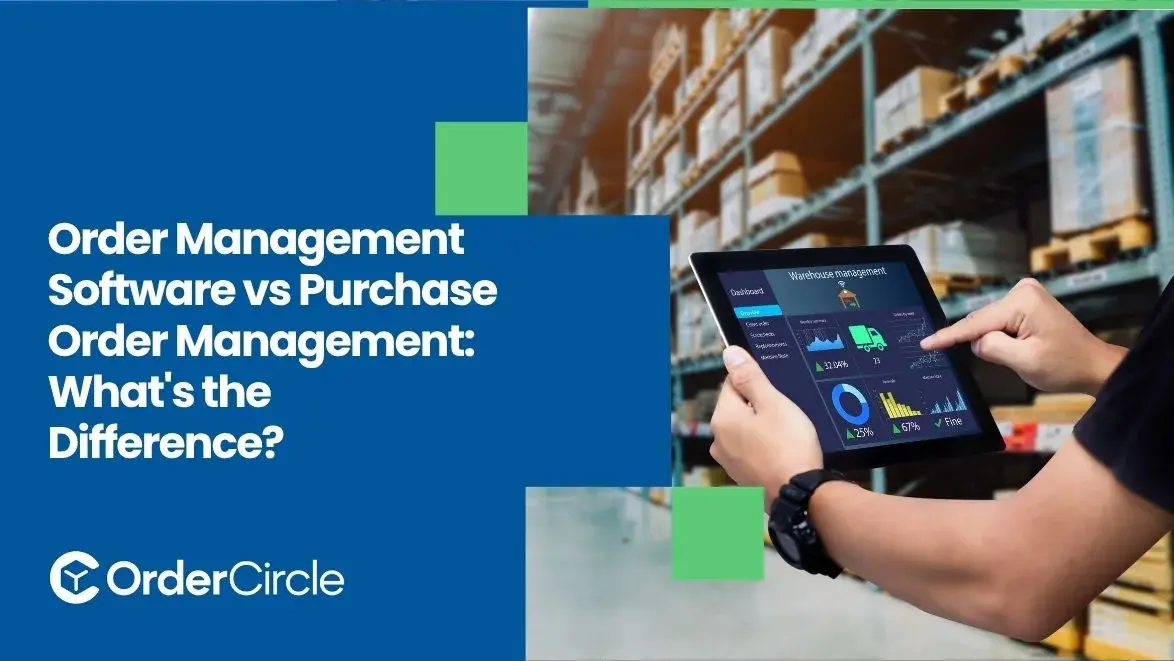
Order management software and purchase order management handle different parts of business operations. Order management follows customer orders from entry through fulfillment, shipping, returns, and adjustments. Purchase order management handles what a business buys from suppliers, including approvals, deliveries, and invoice matching.
The two can work together when customer demand affects purchasing and inventory decisions. Businesses with several sales channels or complex fulfillment usually need broader order management tools. Companies with simpler sales operations may only need purchasing controls. Knowing the difference makes it easier to choose the right system for your needs.
Key Takeaways
- Choose a solution focused on customer orders when you need to manage fulfillment, shipping, returns, and multiple sales channels.
- Choose a solution focused on supplier orders when your main need is creating, approving, tracking, and receiving purchases.
- Use both systems when customer demand, purchasing, inventory, and fulfillment need to stay connected.
- Compare your current workflow to identify whether your biggest problems involve customer orders or supplier purchasing.
- Consider integration and future growth before choosing a system, especially if you manage multiple sales channels, warehouses, or suppliers.
What Is Order Management Software?
Order management software helps businesses manage customer orders from the time they are placed through fulfillment and related post-order processes. It connects order information with inventory, fulfillment, shipping, and related processes.
Managing Orders From Entry to Fulfillment
The process starts when a customer places an order. The system records the products, quantities, customer details, and delivery information. The order can then move through payment, inventory allocation, picking, packing, and shipping. Staff can follow the same order as it moves through each stage.
Tracking Order Status and Changes
Orders can change after they are placed. Customers may request cancellations, address changes, quantity changes, or shipping updates. A centralized system keeps those changes with the original order. Employees can see the latest status without checking separate records.
Coordinating Inventory and Fulfillment
Customer orders depend on available inventory. Businesses with several warehouses may need to decide which location should fulfill each order. Order management tools can connect inventory information with fulfillment activity. That helps teams avoid promising stock that is unavailable at the selected location.
Managing Returns, Cancellations, and Adjustments
Customer service continues after an order ships. Products may be returned or an order may need an adjustment. Keeping these activities connected to the original order gives employees a clearer record. It also helps the business update inventory and order information correctly.
Keeping Order Information in One System
Orders may come through an ecommerce store, sales representatives, marketplaces, phone orders, or EDI. Keeping those orders in one system gives employees a more complete view. They can spend less time checking separate platforms for basic order details.
What Is Purchase Order Management?
Purchase order management is the management of the purchasing process between a company and its suppliers. It tracks purchase orders from creation to approval, delivery, receiving and invoice review.
Creating and Sending Purchase Orders
A purchase order is a statement of what the business wants to buy. It usually contains products or services, quantities, prices, delivery details and supplier information. Once the PO is approved, it is sent to the supplier. It serves as a reference for the purchasing and receiving teams.
Managing Purchase Order Approvals
Often, a company will require an employee to obtain approval before spending company funds. Approval rules can be set by purchase amount, department, location or employee authority. It’s easier to track who approved a purchase with a digital approval process.
Tracking Supplier Orders and Deliveries
Issuing a PO does not mean the goods have been received. The purchasing teams still need to track supplier confirmations, expected dates, partial deliveries and quantities still owed. These open purchases are easier to track with a centralized record.
Matching Orders With Receipts and Invoices
Companies will often compare the purchase order with what they received and what the supplier billed. This is known as three-way matching. It helps to identify differences before an invoice is approved for payment.
Managing Changes to Purchase Orders
Supplier orders can change after they are issued. A supplier may have less stock than expected or provide a different delivery date. A controlled PO process records these changes. Staff can then work from the latest approved information.
What Is the Difference Between Order Management Software and Purchase Order Management?
The biggest difference is the direction of the transaction. Order management deals with customer demand. Purchase order management deals with supplier purchasing.
How Do Order Management and Purchase Order Management Work Together?
The two processes often meet through inventory and demand planning.
Purchase Orders Support Inventory Replenishment
Customer demand can create a need for more inventory. When stock drops, a business may place a purchase order with a supplier. Once those goods arrive, receiving can update inventory. Fulfillment teams can then see the additional stock.
Order Data Can Connect With Inventory Systems
Sales orders reduce available inventory. Purchase orders represent incoming inventory. Connecting both types of information gives teams a better view of current and expected stock. It can also help reduce unnecessary manual updates.
Purchasing Can Respond to Demand
Sales activity can show purchasing teams which products are moving quickly. That information can support better buying decisions. Purchasing teams can see demand instead of relying only on separate spreadsheets or delayed reports.
Connected Systems Improve Order Visibility
Integration links sales, purchasing, inventory and fulfillment information. For example, a sales employee may see that a product is not currently available but has an incoming shipment from a supplier. That information can help drive better customer expectations.
Which Businesses Need Order Management Software?
When customer orders become difficult to manage manually, businesses usually need more extensive order management capabilities.
Businesses Handling Orders Across Multiple Channels
Companies can sell through e-commerce stores, marketplaces, sales teams, or EDI. The downside is that each channel may have to be managed separately, which can lead to duplicated work. Order management software gives teams one central place to view and manage customer orders across these channels.
Companies Managing Complex Fulfillment
It complicates fulfillment when you have multiple warehouses or shipping partners for your orders. A centralized process can also help determine where the orders should be fulfilled from. It also gives teams a better view of the order flow.
Businesses With Multiple Locations or Warehouses
Companies that have multiple facilities need to know where products are stored. Centralized order information helps teams coordinate inventory and fulfillment across locations.
Companies That Need Centralized Order Visibility
Many businesses don’t have complex fulfillment, but they still struggle to track orders. If employees are constantly hunting through emails, spreadsheets, ecommerce systems and warehouse records, a centralized order system could be the answer.
When Is Purchase Order Management Enough?
Purchase order management may be enough when supplier purchasing is the main operational concern.
Purchasing Is the Main Operational Need
A purchasing-focused system can work well when the main requirements involve approvals, supplier orders, receiving, and invoices. There may be no need for broader order management features if customer fulfillment already works well.
The Business Has a Simple Sales Process
A company with few sales channels and straightforward fulfillment may not need an advanced order system. Existing ecommerce or accounting tools may already handle customer orders effectively.
Supplier Orders Are the Main Challenge
Some businesses have simple customer sales but complicated supplier relationships. In that situation, better PO controls may deliver more value. The focus can remain on approvals, supplier commitments, deliveries, and invoice checks.
Inventory and Order Systems Already Work Well
If existing systems provide accurate inventory and customer order information, replacing them may create unnecessary work. The better choice may be to improve purchasing controls instead.
What Should You Consider When Choosing Between the Two?
Look at where your biggest operational problems actually occur.
The Type of Orders You Manage
Start by separating customer orders from supplier purchases. If the main problems involve fulfillment, shipping, returns, or sales channels, order management may be the better fit. If purchasing approvals and supplier tracking cause most problems, focus on PO management.
The Number of Sales and Supplier Channels
More channels usually create more coordination work. Consider your ecommerce sites, marketplaces, sales teams, warehouses, suppliers, and purchasing locations. The number of systems involved can affect which solution makes sense.
Inventory and Fulfillment Complexity
Inventory is another major factor. Think about warehouse locations, stock levels, fulfillment rules, and how often inventory changes. Complex fulfillment usually requires more than basic purchasing controls.
Integration With Existing Business Systems
Check whether the system can connect with your ERP, ecommerce platform, accounting software, inventory tools, and warehouse systems. Good integration reduces duplicate data entry. It also helps different teams work from consistent information.
Future Business Growth
Do not choose only for today's order volume. Consider planned sales channels, new warehouses, supplier growth, and higher order volumes. A system that fits future requirements can prevent another software change later.
Conclusion
Order tracking and purchasing serve different operational needs. One follows customer orders while the other manages purchases from suppliers. The right option depends on your sales channels, fulfillment process, supplier activity, inventory setup, and existing systems.
A purchasing-focused solution may be enough when supplier control is the main concern. Businesses with more complex customer orders may need broader tools alongside purchasing capabilities. Review your current workflow and future plans before choosing a system. OrderCircle can help businesses find a practical approach to managing their order operations.
.svg)


