
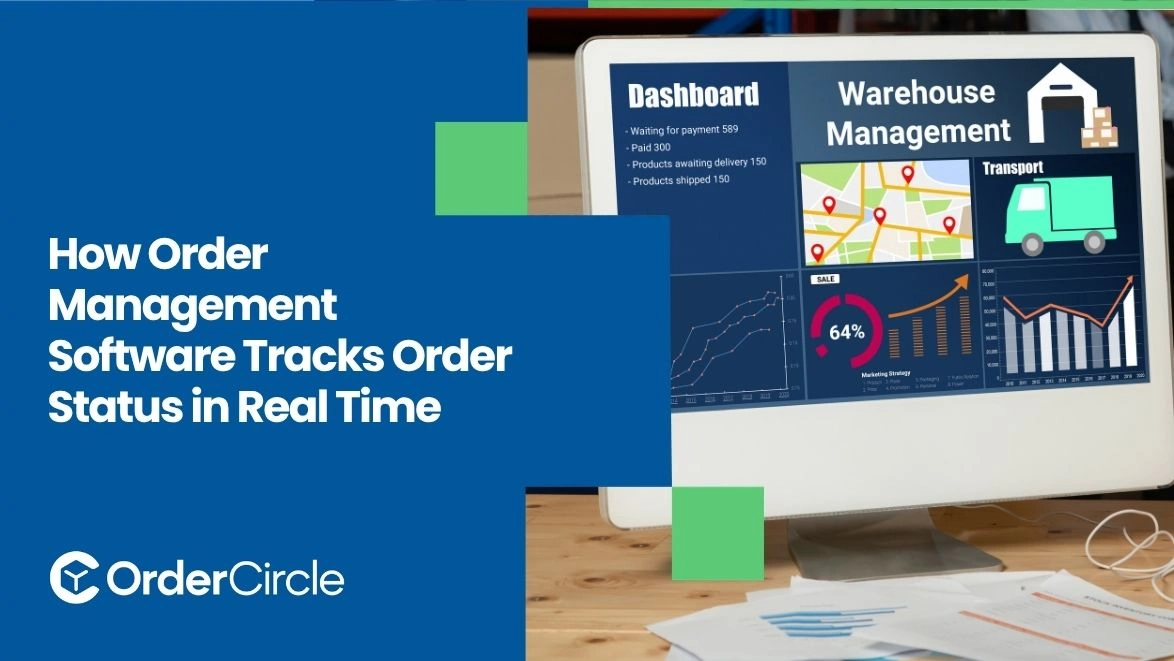
Real-time order tracking works by collecting updates from every system involved in the fulfillment process. Each event changes the order’s current status and shows teams what happens next. Payment approval, inventory allocation, packing, shipping, delivery, and returns can all create updates. When systems stay connected, businesses reduce manual checking and improve customer communication. They also spot delays earlier, before small fulfillment issues become larger problems.
Key Takeaways
- Real-time tracking follows actual order events. Payment approvals, stock reservations, warehouse scans, and delivery updates move orders forward. Teams can see progress without chasing different departments.
- Clear statuses create an understandable fulfillment timeline. Each stage shows whether an order is moving, waiting, completed, or blocked. That visibility helps teams react faster when exceptions appear.
- System integrations keep status information current. APIs, webhooks, warehouse tools, and carrier feeds can send updates automatically. This reduces repeated data entry and outdated customer information.
- Disconnected systems create tracking gaps. Physical fulfillment may move faster than digital records. Those gaps increase support questions, manual checking, and operational confusion.
Real-Time Order Status Tracking With Order Management Solutions
Real-time tracking combines fulfillment events into a single, up-to-date order view. Instead of showing a vague “processing” status, connected systems record meaningful changes throughout the order journey.
- Order capture creates the starting record. Orders from online stores, wholesale portals, marketplaces, or sales teams enter one workflow with essential customer and product details.
- Status changes build the timeline. Orders move through received, paid, allocated, packed, shipped, delivered, or exception stages. Each update shows what should happen next.
- Connected systems share operational events. Payment tools confirm transactions while inventory systems reserve available stock. Strong order management solutions consolidate these events into a single, understandable history.
- Timestamps reveal where delays happen. Teams can compare payment approval, warehouse activity, shipment creation, and delivery times. That detail makes bottlenecks easier to investigate.
- Exception statuses expose problems quickly. Backorders, payment holds, cancellations, and partial shipments need clear states. Otherwise, important problems can hide behind generic processing labels.
What Are the Main Order Statuses Tracked by Order Management Software?
Exact labels vary between platforms, yet most workflows follow similar stages. Each status explains what has finished, what is happening now, and which action should happen next.
Order Received and Confirmed
The first status records that the business successfully captured the order. The system may validate customer details, quantities, addresses, and sales-channel information. “Received” doesn't always mean warehouse work can start because payment checks, fraud reviews, or business rules may still require approval.
Payment Verified
Payment verification confirms that the order can proceed to fulfillment. Card orders may require authorization or capture before release. B2B orders may instead rely on approved payment terms or account credit. Failed or pending payments can place orders on hold until problems clear.
Inventory Allocated
Allocation reserves available units specifically for the customer's order. That step prevents another order from claiming the same stock. Multi-location businesses may choose a warehouse based on availability, distance, capacity, service rules, or promised delivery expectations.
Picking and Packing
Picking begins when warehouse workers physically locate the reserved products. Scans or task updates can confirm whether items were found. Packing verifies quantities, protects products, and prepares the shipment. Missing items can trigger an exception before the parcel leaves the warehouse.
Order Shipped
A shipped status usually means warehouse fulfillment has finished and transportation has started. Shipment records may include the carrier, tracking number, dispatch time, and shipped quantities. When only part of an order ships, remaining lines may stay allocated or backordered.
In Transit
Once the carrier receives the parcel, shipment scans show its movement. Sorting facilities, transfer points, and regional hubs may create new tracking events. These updates help teams distinguish a package moving normally from one that has unexpectedly stopped progressing.
Out for Delivery
Out for delivery usually means the carrier has started final-mile delivery. Customers expect the parcel soon after this update appears. Businesses can trigger notifications at this stage, while support teams gain clearer information to address delivery-related questions.
Delivered
Delivery confirmation closes the transportation stage of fulfillment. A carrier scan, proof-of-delivery event, or connected delivery service can create the update. The recorded delivery time also helps support teams handle missing-package questions, return windows, disputes, or customer claims accurately.
Canceled, On Hold, or Backordered
These statuses explain why normal fulfillment has stopped progressing. Canceled orders should not move forward. Holds pause activity until specific issues clear. Backorders show that customer demand exists while sellable inventory remains unavailable. Clear labels help teams choose the correct response.
Returned or Refunded
Tracking often continues after the customer receives the order. Returns may move through requested, received, inspected, restocked, or rejected stages. Refunds represent the financial side separately. Keeping both processes distinct improves inventory records and customer-service accuracy.
How Does Real-Time Order Tracking Work Across the Fulfillment Process?
Real-time tracking follows each order from placement through delivery. Connected systems contribute events that move fulfillment forward or flag exceptions requiring attention.
Order Placement and Validation
The process starts when the OMS captures details from a sales channel. It checks customer, product, pricing, payment, and delivery information. Missing data, payment failure, fraud review, account restrictions, or validation rules can prevent release before warehouse work begins.
Inventory Allocation and Fulfillment Routing
Next, available stock becomes reserved for the customer order. Multi-location operations may select fulfillment sites based on inventory, distance, capacity, or service rules. Smart routing reduces unnecessary transfers and directs orders toward locations capable of completing them reliably.
Warehouse Picking and Packing
Warehouse updates show whether products were released, picked, packed, or delayed. This visibility matters because “processing” reveals very little. Scan-based progress can identify where an order slowed and whether missing inventory or picking problems require attention.
Shipping and Carrier Handover
Shipment creation adds the carrier, tracking number, package details, and dispatch information. After handover, warehouse events give way to transportation updates. External carrier scans can continue updating the timeline without employees manually checking every shipment.
Delivery Confirmation
The final carrier event confirms that transportation has ended successfully. The system updates the customer-facing record and may trigger delivery notifications. A clear timestamp also helps support teams investigate missing-package claims, return requests, delivery disputes, or proof-of-delivery questions.
How Does an OMS Receive Real-Time Order Status Updates?
An OMS doesn't create every status itself. It receives events from connected platforms and converts them into one consistent timeline for employees and customers.
APIs and System Integrations
APIs let business systems exchange structured inventory, order, payment, and shipment data. Connected order management system software can request information or receive updates from other applications. This capability matters when several platforms share responsibility for completing one customer order.
Webhooks and Event-Based Updates
Webhooks send notifications when specific events happen inside another system. Instead of constantly checking for changes, the OMS receives an update automatically. Order creation, fulfillment changes, cancellations, returns, and refunds can all trigger event-based notifications.
Carrier Tracking and Shipment Scans
Carrier integrations connect transportation events with the internal order record. Pickup, sorting, transit, out-for-delivery, and delivery scans can update shipment progress automatically. Customer service teams can then see up-to-date transportation information without repeatedly checking separate carrier tracking pages.
Warehouse and Inventory System Sync
Warehouse systems report when products become allocated, picked, packed, shipped, returned, or restocked. Inventory quantities change alongside those events. When backordered items depend on incoming supply, purchase order management information can indicate when unavailable stock may become fulfillable again.
What Happens When Order Management Solution Is Not Connected to Fulfillment Systems?
When fulfillment tools operate separately, information moves slower than physical orders. That gap creates outdated statuses, extra manual work, and uncertainty for employees and customers.
- Statuses become outdated. A warehouse may already ship an order while the storefront still displays processing.
- Employees repeat manual entry. Teams may copy tracking, shipment, or inventory data between platforms. Every extra entry creates another opportunity for mistakes.
- Customers receive conflicting information. Carrier tracking may show movement while the customer portal displays an older stage.
- Inventory becomes less reliable. Delayed allocation or shipment updates can make committed products appear available. Without connected order management software, businesses may accidentally oversell those units.
- Exceptions stay hidden longer. Backorders, failed picks, partial shipments, and canceled lines may remain unnoticed without automatic updates.
- Support workload increases. Employees spend more time contacting warehouses or carriers for simple order-status questions.
- Reporting becomes weaker. Disconnected timestamps make order-cycle delays and fulfillment bottlenecks harder to measure accurately.
- Automation becomes limited. Notifications and workflow rules cannot react reliably when current order events remain trapped in separate systems.
Conclusion
Real-time order tracking works by collecting events across payment, inventory, warehouse, shipping, and delivery systems. Each event moves the order into a clearer stage or exposes an exception needing attention. APIs, webhooks, warehouse scans, and carrier updates keep that timeline current without constant manual work.
Connected tracking also helps teams answer customer questions faster and identify delays earlier. Disconnected systems create outdated statuses and unnecessary operational confusion. If your business needs clearer order visibility and smoother fulfillment coordination, OrderCircle can help centralize order workflows and keep teams informed from purchase through delivery.
.svg)


