Running out of stock happens. However, losing a loyal buyer over an out of stock product is completely avoidable. The secret to saving the sale comes down to fast communication and split shipping choices inside your wholesale order status portal. When an item sells out, ship what's ready today and mark the rest as backordered. Displaying clear line updates online stops buyer panic, prevents frantic support calls, cuts administrative stress and protects your ongoing account revenue. Here is how to handle backorders smoothly without damaging client relationships.
Quick Answer
Handling wholesale backorders requires simple inventory visibility, automated order alerts and flexible split shipping options. When a buyer orders out-of-stock goods, your system should immediately mark those items as Backordered while shipping whatever boxes are ready today. Displaying clear line item updates inside a central dashboard stops buyer panic, speeds up invoice collection and protects your long-term business relationships.
Key Strategies to Handle Wholesale Backorders
Running out of stock is annoying. Not telling your buyers you're out of stock is what actually kills your business. Shop owners run on a very tight daily schedule. An unexpected shipping delay throws their store layout completely out of kilter, kills any sales events you might have and leaves your floor staff with nothing to sell. You can keep your accounts happy even when you're running low on stock by using proactive measures.
1. Show Line Item Status Visibility for Partial Shipments
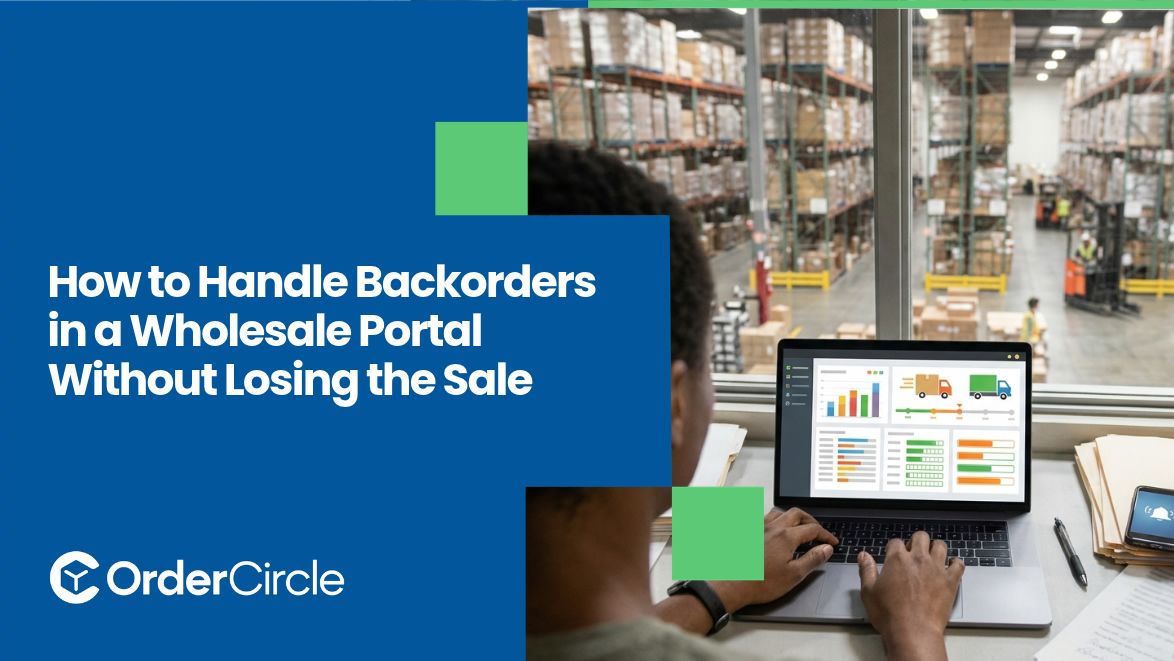
Wholesale orders usually contain many different products in a single purchase order. When eight items are ready to ship and two are sold out, marking the entire order as Processing creates huge confusion. Your system needs to break down updates by individual item. Buyers should log in and instantly see which items are Shipped with tracking links and which items sit in Pending Backorder status with an estimated arrival date.
2. Send Automated Email and Text Delay Alerts
No one likes logging in all the time just to check whether a delayed product has gone back in stock. The solution is to set up automated system alerts that will let the buyer know the second the item goes back into stock. A quick email with realistic arrival estimates will go a long way toward reassuring the customer that their order is being looked after, and you won't have to make the calls from sales.
3. Offer Flexible Payment Terms for Split Orders
No one wants to pay upfront for goods that are on a backorder list. Flexible payment terms mean the store owner is charged only when the goods actually leave the building. You can split invoices for backordered stock so credit lines remain open for normal purchases. The store owner can therefore continue to order their normal best sellers without being blocked by the backorders.
4. Provide Self-Service Item Substitution Tools
If a product is delayed for several weeks then store owners will often just go and pick a similar product that's on the shelf right now. Your portal should allow the buyer to swap the backordered item for a matching in-stock alternative with a single click. Having the direct swap option in place keeps your order values up, clears the secondary warehouse stock and stops the buyer from leaving your site to go and find a quick replacement.
5. Prevent Surprises at the Receiving Dock
Unannounced partial shipments are the trigger for immediate panic. You've got a buyer opening up a crate and expecting 20 items and only finding 10. The dock people think the goods were either stolen in transit or left at the warehouse. They call your front office, demanding credits straight away or lodging payment complaints. Portal updates completely eliminate that scenario.
6. Protect Retail Marketing Campaigns and Launch Dates
Store owners line up floor events around promised delivery dates. They run local promotions, print flyers and hire extra shifts for launch day. When backordered stock misses the window without notice, those marketing dollars vanish instantly. Live restock dates give buyers enough breathing room to reschedule floor events and protect their ad investments.
7. Stop Wasting Valuable Buyer Time
Store owners have better things to do than spend their mornings searching through email threads or waiting on hold for customer support. When your order system fails to give clear status updates on missing goods, buyers get stuck playing detective just to figure out when their stock arrives. Providing a simple dashboard with live backorder notes lets shop owners check their status in five seconds. That frees up their day and makes doing business with you easy.
8. Align Warehouse Teams for Priority Backorder Fulfillment
New stock needs to go straight to your oldest waiting orders. Simple visual tags in your portal will help floor staff pack backorders before they clear the new incoming carts. Reserving the restocked inventory automatically stops you from making a costly shipping mistake. It speeds up fulfillment, and it shows the customer that their open orders are your number one priority.
Best Practices and Tips for Managing Wholesale Backorders
Managing backorders requires friendly customer care as much as it does good software features. Here are practical habits that help you maintain trust and save sales when inventory runs low.
- Display realistic restock dates: Give buyers honest estimated arrival windows inside their account dashboard instead of making vague promises. Real dates help shop owners plan floor displays, store promotions and staffing schedules with total confidence.
- Make item swaps super easy: Allow buyers to swap out backordered products for similar in-stock goods directly from their order management screen. One click substitutions save the sale on the spot before clients look for competitors.
- Encourage reps to post custom notes: Sales staff who add quick personal updates inside the buyer account when schedules shift keep clients fully informed. Direct notes build strong human connections during shipping delays.
- Fill old backorders before new orders: Make sure warehouse workers pack and ship long-standing backorders before filling brand new incoming orders. Prioritizing open backorders protects your oldest, most valuable accounts.
- Offer optional backorder discounts: Giving a small price reduction or free shipping on backordered items shows buyers you appreciate their patience. A small credit can turn an annoying stock outage into a strong gesture of goodwill.
- Keep open backorder lists visible: Allow store owners to filter their order history by backordered items with a simple toggle button. Quick filters help purchasing managers review pending stock without digging through stacks of old paperwork.
- Proactively follow up on delayed accounts: Reach out with personalized emails when backorders extend beyond initial delivery estimates. Keeping lines of communication open shows care and reinforces buyer trust during long inventory waits.
Conclusion
Handling backorders successfully comes down to building trust through clear communication and modern portal tools. By offering clear item updates, flexible split shipping options and a reliable wholesale order status portal, you turn stock delays into a chance to show how dependable you are.
Investing in an easy online system stops delivery surprises, protects your regular income, keeps your operations organized and ensures store owners keep coming back even when shipments slow down. To see how simple order tracking and online portal tools can streamline your wholesale operations, see how OrderCircle helps growing brands every day.