
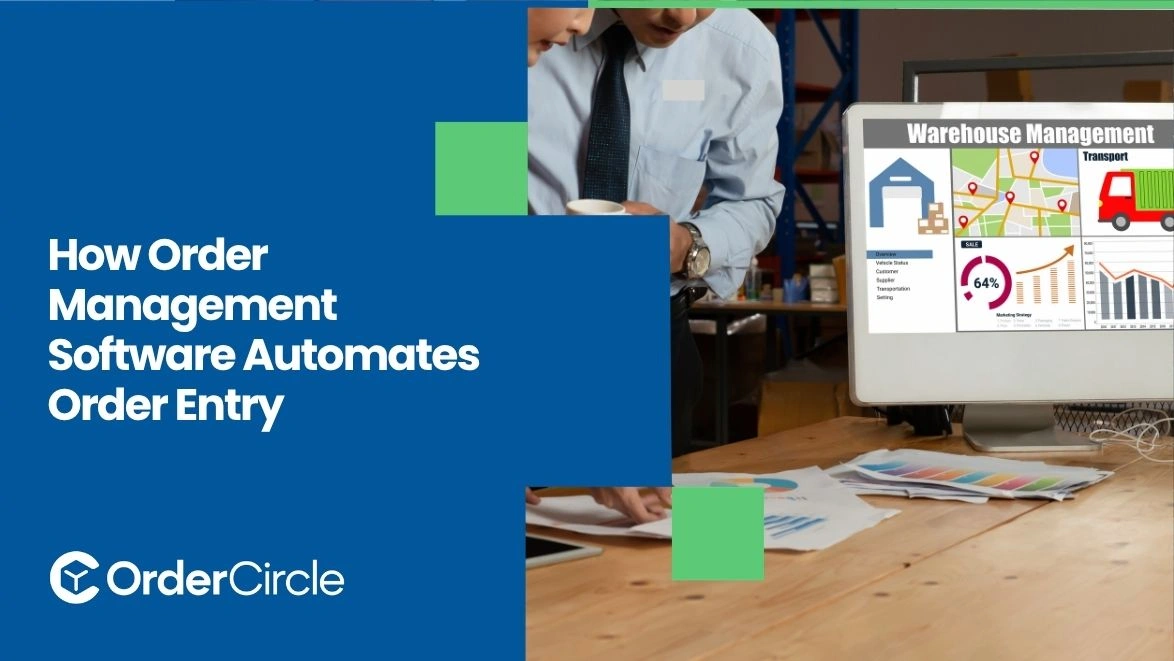
Order management software can automate much of the work involved in entering customer orders. It collects orders from connected sales channels and imports customer and product details automatically. The system can check order information before creating the order. It can also update order status as processing begins.
This reduces repetitive data entry and helps staff handle orders faster. Connected inventory, payment, accounting, and shipping systems can further reduce manual work. Businesses can then spend less time entering information and more time managing exceptions.
Key Takeaways
- Automated order entry reduces repetitive manual work. Customer, product, quantity, and shipping details can move into orders automatically.
- Order information can be checked before processing. Validation helps identify missing or inconsistent details before an order moves forward.
- Connected systems keep order data synchronized. Inventory, payment, accounting, ecommerce, and fulfillment platforms can share relevant information.
- Automation can reduce common entry mistakes. Duplicate orders and inconsistent information become easier to identify.
- Faster entry helps orders move into processing sooner. Staff can focus on exceptions instead of copying information between systems.
How Does Order Management Software Automate Order Entry?
Order management software can capture incoming orders and populate a central order workflow with their details. It can collect customer, product, quantity, shipping, and payment information from connected sales channels. The system can then validate the details before creating the order and updating its status.
Capturing Orders From Multiple Sales Channels
Businesses may receive orders through ecommerce stores, marketplaces, sales representatives, or other channels. Connecting these sources allows incoming orders to enter one central workflow. Staff do not need to copy every order from one platform into another. The system can capture available order details and begin processing them automatically.
Importing Customer and Order Information
Automated entry can import customer names, contact details, addresses, products, quantities, and other order information. The exact fields depend on the connected sales channel. This keeps information together within the order record. Staff can review the information without repeatedly entering the same details into separate systems.
Validating Order Details
The system can check the required fields before an order proceeds. It may identify missing addresses, invalid product information, or other incomplete details. Validation rules depend on the business and its order process. Problems can be flagged for review rather than going unnoticed in fulfillment.
Creating Orders Automatically
After required information passes validation, the system can create the order record. It can assign an order number and apply the relevant status. This removes another manual step from the process. Staff can then focus on orders that actually need attention.
Updating Order Status
Order status can change as the order moves through the workflow. For example, a new order may move from received to processing after initial checks. Status changes give staff a clearer view of current order activity. Customers can also receive updates when connected notification features are enabled.
What Order Entry Tasks Can Order Management Software Automate?
Order entry involves more than recording the customer's name and selected products. Several details must be captured accurately before fulfillment can begin. Automation can handle many of these routine tasks.
Customer Data Entry
Customer information can be pulled from the sales channel where the order originated. Names, contact details, and shipping addresses can populate the order record automatically. Staff can review unusual cases instead of entering standard customer information manually. This can save time when order volumes increase.
Product and Quantity Entry
The system can import the products selected by the customer along with their quantities. Product information can also connect with inventory records. This reduces the need to retype product codes or quantities. It also helps keep the order record aligned with the original purchase.
Pricing and Discount Calculations
Order systems can apply stored pricing rules and approved discounts where supported. Taxes, shipping charges, and other applicable amounts may also be calculated. The exact calculation depends on the system configuration and connected platforms. Staff can review exceptions before the order reaches fulfillment.
Shipping Information
Shipping addresses and selected delivery methods can be captured during automated entry. The system can pass this information to connected fulfillment or shipping tools. Accurate shipping information helps reduce avoidable delays. Address issues can also be flagged when validation rules identify missing details.
Payment and Order Details
Payment status can be connected to the order record when supported. The system can also capture transaction references and selected payment methods. This gives staff a clearer view of whether an order is ready for processing. Payment information should remain protected in accordance with the business's security requirements.
How Does Automated Order Entry Reduce Data Entry Errors?
Manual copying creates opportunities for incorrect quantities, addresses, product codes, and other details. Automation reduces the amount of information staff must re-enter.
Eliminating Manual Data Entry
Automated workflows transfer available information directly from connected platforms. Staff do not need to copy every field from one system to another. Fewer manual steps can reduce common typing and transcription mistakes. It also gives employees more time for orders requiring human review.
Validating Incomplete Information
Required-field checks can identify missing information before an order moves forward. The system may stop processing until the missing details are corrected. This prevents incomplete records from reaching later stages. Businesses can define validation rules around their own order requirements.
Preventing Duplicate Orders
Duplicate orders can create inventory and fulfillment problems. Automated systems can compare relevant order information and identify possible duplicates. The exact detection method depends on the platform. Flagging possible duplicates allows staff to review them before fulfillment.
Keeping Order Information Consistent
Centralized order records help keep customer and product information consistent. Updates made through connected systems can also flow into the relevant workflow. For businesses using purchase order management, connected records can help maintain clearer information across purchasing and sales processes.
How Does Automated Order Entry Connect With Other Business Systems?
Businesses can use order management system software to connect these platforms and move relevant information between different parts of the order workflow.
Inventory Management Systems
Inventory connections can show whether ordered products are available. When an order enters the system, relevant inventory records are updated according to the configured workflow. This gives fulfillment teams better visibility into available stock. It can also help identify orders that need attention because of inventory issues.
E-commerce Platforms
E-commerce integrations allow online orders to enter the central order workflow automatically. Customer and product information can transfer without repeated manual entry. This is useful for businesses that receive orders from multiple online stores. Staff can manage incoming orders through a more centralized process.
Accounting and Payment Systems
Accounting connections can transfer relevant order and payment information. This reduces the need to enter financial details into separate systems. The integration can also help accounting teams access current order information. Specific features depend on the accounting platform and integration setup.
Shipping and Fulfillment Systems
Shipping and fulfillment connections allow approved orders to move into the next stage. Product, quantity, address, and shipping details can transfer automatically. Tracking information can then return to the order record when supported. This creates a more connected workflow from entry through delivery.
How Does Automated Order Entry Speed Up Order Processing?
Automation removes several repetitive steps between receiving an order and starting fulfillment. Orders can enter the system shortly after customers submit them. Validation can happen without waiting for manual review of every standard order.
Staff can then concentrate on incomplete orders, payment issues, inventory problems, or unusual requests. Faster order entry does not remove the need for oversight. Businesses still need clear rules and checks for exceptions.
The right order management solutions can also connect order entry with inventory and fulfillment workflows. This helps reduce delays caused by moving information between separate systems.
Conclusion
Automated order entry helps businesses move customer orders into processing with fewer manual steps. It can capture information, check required details, update statuses, and connect with other business systems.
The main benefit is reducing repetitive work while keeping staff involved when human judgment is needed. Contact OrderCircle today to explore automation options that can simplify order entry and improve your overall order workflow.
FAQs
What types of orders can automated order entry handle?
It can handle orders from connected ecommerce stores, marketplaces, sales channels, and other supported sources. Available options depend on the platform and integrations.
Can order automation prevent duplicate orders?
Many systems can identify possible duplicate orders using configured rules. Staff can review flagged records before fulfillment.
Does order automation replace manual order review?
No. Automation handles routine processing while staff reviews exceptions and unusual orders. A properly configured order management system can reduce manual work without removing necessary oversight.
.svg)


